Peakiq Blog
Building a Live Timer with iOS Live Activities in React Native
Step-by-step guide to integrating iOS Live Activities with React Native. Build a live timer that updates on the Lock Screen and Dynamic Island using Swift native modules.
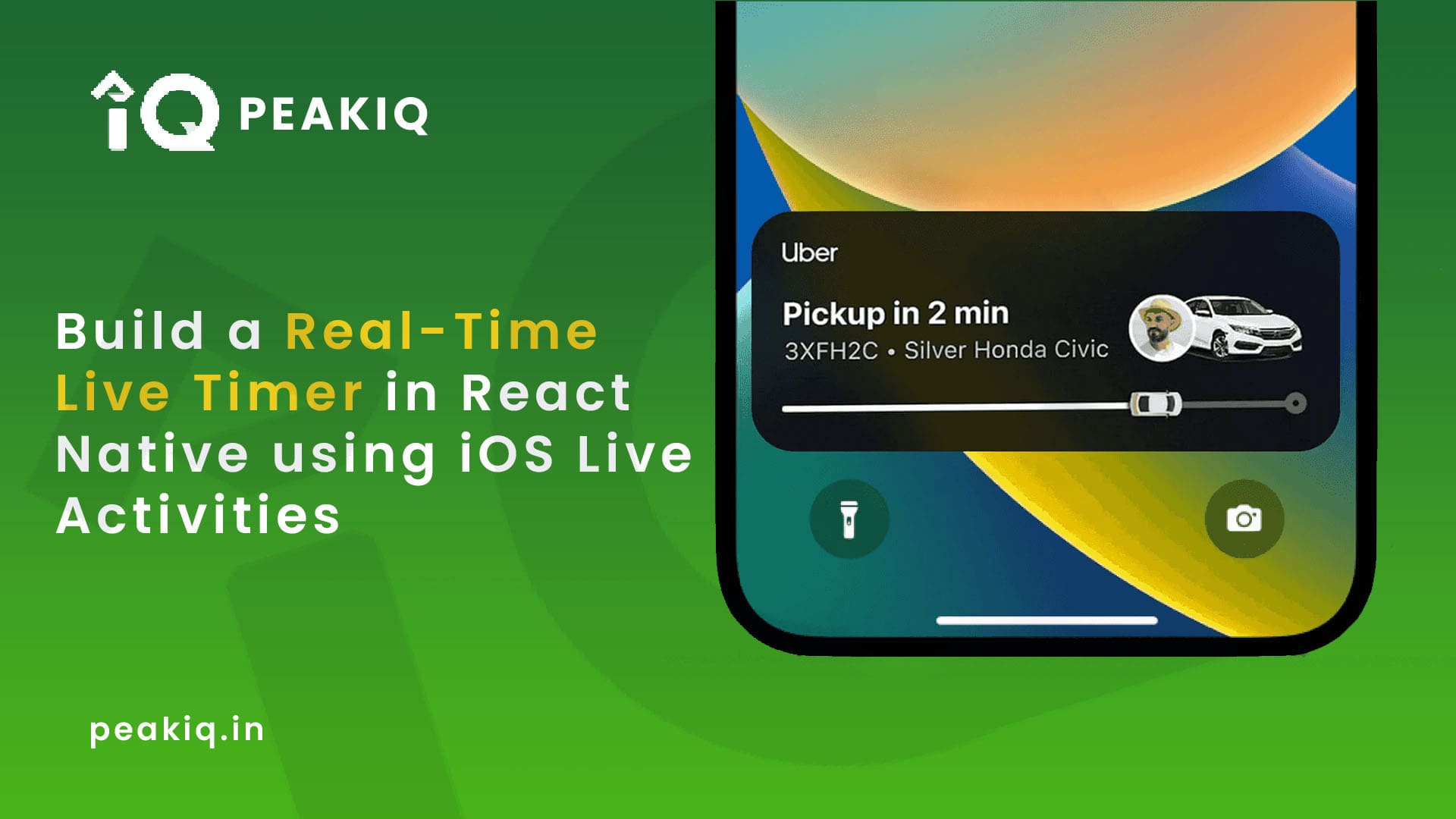
Integrate Lock Screen, Dynamic Island, and Real-Time Updates with Native Swift + React Native
✅ Timer updates in real time
✅ Dynamic Island + Lock Screen support
✅ Start/Update/Stop from JS
✅ Success feedback using `react-native-flash-message`
📱 Final Output
-
Start a timer from React Native
-
Live Activity shows:
- ⏱ Timer since start
- 📅 Started date
- 🆔 Dynamic ID (like "1823")
-
User can stop the timer and see a success flash
Steps to change the deployment target:
-
Go to your main target in Xcode.
-
Navigate to General > Deployment Info.
-
Change the Minimum Deployment Target to 16.1.
Enabling Live Activities in info.plistAfter setting up the widget, we need to update the info.plist file to declare that the app supports Live Activities. To do this, go to the info.plist and hover the mouse over the Informal Property List until a '+' appears:
Next, you need to select 'Supports Live Activities' from the list:
Step 1: Create a Native Module
✅ Step 1: Open Xcode
- Navigate to
ios/YourApp.xcworkspace - Open in Xcode, not VS Code
✅ Step 2: Add a new Swift file
- Right-click on the
YourAppfolder inside Xcode (not the blue project icon) - Select New File → Swift File
- Name it
TimeRecordWidget.swift - When asked, choose "Create Bridging Header" → YES
This allows Swift to work with Objective-C.
✅ Step 3: Add your native module code
Paste the following in TimeRecordWidget.swift
:
//
//  TimeRecordWidget.swift
//
//  Created by Manoj on 16/07/25.
//

import Foundation
import ActivityKit
import React

@objc(TimeRecordWidget)
class TimeRecordWidget: NSObject {
  var pulseTimer: Timer?
  var pulseStep = 0

  @objc(startActivity:)
  func startActivity(data: NSDictionary) {
    print("📥 [Swift] start Activity called with data: \(data)")
    NSLog("📥 [Swift] start Activity called with data: %@", data)

    guard let recordId = data["recordId"] as? String,
          let username = data["username"] as? String,
          let name = data["name"] as? String,
          let startDateString = data["startDate"] as? String else {
        print("❌ Live Activity: Missing required fields")
        NSLog("❌ Live Activity: Missing required fields")
        return
    }

    let formatter = ISO8601DateFormatter()
    formatter.formatOptions = [.withInternetDateTime, .withFractionalSeconds]

    guard let startDate = formatter.date(from: startDateString) else {
        print("❌ Live Activity: Invalid date format: \(startDateString)")
        NSLog("❌ Live Activity: Invalid date format: %@", startDateString)
        return
    }

    print("✅ Parsed Start Date: \(startDate)")
    NSLog("✅ Parsed Start Date: %@", startDate as NSDate)


      Task {
          if #available(iOS 16.1, *) {
              let attributes = TimeRecoredWidgetAttributes(
                  name: name,
                  recordId: recordId,
                  username: username
              )

            let contentState = TimeRecoredWidgetAttributes.ContentState(
                startDate: startDate,
                pulseScale: 1.0,       // start with default scale
                pulseOpacity: 0.7     // start with default opacity
            )

              let content = ActivityContent(state: contentState, staleDate: nil)

              do {
                  let activity = try Activity<TimeRecoredWidgetAttributes>.request(
                      attributes: attributes,
                      content: content,
                      pushType: nil
                  )
                  print("✅ Started Live Activity: \(activity.id)")
                  startPulseTimer(activity: activity)

              } catch {
                  print("❌ Failed to start Live Activity: \(error)")
              }
          }
      }
  }


  func updatePulseState(activity: Activity<TimeRecoredWidgetAttributes>, step: Int) {
      let pulseStates: [(CGFloat, Double)] = [
          (1.0, 0.7),
          (1.2, 1.0)
      ]

      let pulseScale = pulseStates[step % pulseStates.count].0
      let pulseOpacity = pulseStates[step % pulseStates.count].1

      print("Updating pulse state - step: \(step), pulseScale: \(pulseScale), pulseOpacity: \(pulseOpacity)")

      let newState = TimeRecoredWidgetAttributes.ContentState(
          startDate: activity.content.state.startDate,
          pulseScale: pulseScale,
          pulseOpacity: pulseOpacity
      )

      Task {
          let content = ActivityContent(state: newState, staleDate: nil)
          print("Calling activity.update with new content state")
          await activity.update(
              content,
              alertConfiguration: nil
          )
          print("activity.update completed")
      }
  }

  func startPulseTimer(activity: Activity<TimeRecoredWidgetAttributes>) {
          print("Starting pulse timer new")

          // Invalidate previous timer if any
          pulseTimer?.invalidate()
          pulseTimer = nil
          pulseStep = 0
          print("Schedule timer")
          // Schedule timer on main run loop explicitly
          pulseTimer = Timer(timeInterval: 1.0, repeats: true) { [weak self] timer in
              guard let self = self else {
                  print("Self is nil, invalidating timer")
                  timer.invalidate()
                  return
              }
              self.pulseStep += 1
              print("Timer fired - pulseStep: \(self.pulseStep)")
              self.updatePulseState(activity: activity, step: self.pulseStep)

              if activity.activityState != .active {
                  print("Activity is no longer active, invalidating timer")
                  timer.invalidate()
                  self.pulseTimer = nil
              }
          }

          // Add timer to main run loop
          if let pulseTimer = pulseTimer {
              RunLoop.main.add(pulseTimer, forMode: .common)
          }
      }

  @objc(endActivity)
  func endActivity() {
    Task {
      if #available(iOS 16.1, *) {
        for activity in Activity<TimeRecoredWidgetAttributes>.activities {
          let currentState = activity.content.state
          let finalState = TimeRecoredWidgetAttributes.ContentState(
               startDate: currentState.startDate,
               pulseScale: currentState.pulseScale,
               pulseOpacity: currentState.pulseOpacity
          )

          let finalContent = ActivityContent(state: finalState, staleDate: nil)

          await activity.end(finalContent, dismissalPolicy: .immediate)
          print("🛑 Ended activity: \(activity.id)")
        }
      } else {
        print("❌ Live Activities not supported")
      }
    }
  }


  @objc(checkPermission:rejecter:)
   func checkPermission(_ resolve: @escaping RCTPromiseResolveBlock, rejecter reject: @escaping RCTPromiseRejectBlock) {
     if #available(iOS 16.2, *) {
       let isEnabled = ActivityAuthorizationInfo().areActivitiesEnabled
       resolve(isEnabled)
     } else {
       resolve(true) // iOS < 16.2
     }
   }


}
Step 2: Register in Objective-C Header
✅ Step 1: New file → Objective-C file
- Right-click the same group (
YourApp) - Select New File → Objective-C File
- Name it TimeRecoredWidgetHeader
.m - It may ask to create a Bridging Header again — skip if you already did.
✅ Paste this content
Paste the following in TimeRecoredWidgetHeader.m:
//
//  TimeRecoredWidgetHeader.m
//
//  Created by Manoj on 16/07/25.
//

#import <React/RCTBridgeModule.h>

@interface RCT_EXTERN_MODULE(TimeRecordWidget, NSObject)

RCT_EXTERN_METHOD(startActivity:(NSDictionary *)data)
RCT_EXTERN_METHOD(endActivity)
RCT_EXTERN_METHOD(checkPermission:(RCTPromiseResolveBlock)resolve
                  rejecter:(RCTPromiseRejectBlock)reject)


@end
Step 3: Define Attributes and Widget and Live Activity Widget UI
Create a New Widget Extension
-
In Xcode, go to
File → New → Target… -
Search for “Widget Extension”
-
Select Widget Extension
-
Name it
TimeRecoredWidget -
✅ Enable “Include Live Activity” when asked
-
Finish and click "Activate" when it asks
-
make sure the file is compiled in your main app target
Open Xcode, then:
-
Click
TimeRecoredWidgetLiveActivity.swift -
In the right sidebar (File Inspector), check Target Membership
- ✅ Ensure your app target (e.g.
ComplyStation) is checked — not just the widget extension.
- ✅ Ensure your app target (e.g.
This is the most common cause.
-
✅ This will create:
TimeRecoredWidget.swiftTimeRecoredWidgetLiveActivity.swift- `TimeRecoredWidgetBundle.swift`
- Paste the following in
TimeRecoredWidgetLiveActivity.swift: Define Attributes and Widget and Live Activity Widget UI exist into the this file
//
//  TimeRecoredWidgetLiveActivity.swift
//  TimeRecoredWidget
//
//  Created by Manoj on 16/07/25.
//

import ActivityKit
import WidgetKit
import SwiftUI


struct TimeRecoredWidgetLiveActivity: Widget {
    var body: some WidgetConfiguration {
        ActivityConfiguration(for: TimeRecoredWidgetAttributes.self) { context in
            // 🔒 Lock Screen / Banner UI
            lockScreenView(context: context)
        } dynamicIsland: { context in
            // 🏝️ Dynamic Island UI
            dynamicIslandView(context: context)
        }
    }
}


// MARK: 🔒 Lock Screen View
@ViewBuilder
func lockScreenView(context: ActivityViewContext<TimeRecoredWidgetAttributes>) -> some View {
    VStack(alignment: .leading, spacing: 12) {
        // 🔷 App icon + Title + ID + Timer
      HStack(alignment: .center) {
        Image("action_icon")
          .resizable()
          .frame(width: 32, height: 32)
          .clipShape(RoundedRectangle(cornerRadius: 6))

        VStack(alignment: .leading, spacing: 2) {
          Text((context.attributes.name))
            .font(.headline)
            .foregroundColor(.white)

          Text("ID: \(context.attributes.recordId)")
            .font(.footnote)
            .foregroundColor(.white)
        }

        Spacer()

        // Timer
        HStack(spacing: 8) {
            Image(systemName: "clock")
                .font(.footnote)
                .foregroundColor(.red)

            // ⏱ Live-updating timer
            Text(context.state.startDate, style: .relative)
                .font(.headline)
                .monospacedDigit()
              .foregroundColor(.red)

        }
      }

        // ℹ️ Extra Info + Stop
        HStack {
            VStack(alignment: .leading, spacing: 4) {
              Text("Started at \(formattedDate(context.state.startDate))")
                .font(.footnote)
                  .foregroundColor(.white)

              Text("User: \(context.attributes.username)")                   .font(.footnote)
                    .foregroundColor(.white)
            }

            Spacer()

            // 🟥 Stop Button
            Link(destination: URL(string: "gopak360://stop-timer/\(context.attributes.recordId)")!) {
                ZStack {
                    Circle()
                        .fill(Color.black)
                        .frame(width: 36, height: 36)
                        .overlay(Circle().stroke(Color.red, lineWidth: 2))

                    Image(systemName: "stop.fill")
                        .font(.system(size: 14, weight: .bold))
                        .foregroundColor(.red)
                }
                .shadow(color: Color.black.opacity(0.2), radius: 5, x: 0, y: 2)
            }
        }
    }
    .padding()
}

// MARK: 🏝️ Dynamic Island View
func dynamicIslandView(context: ActivityViewContext<TimeRecoredWidgetAttributes>) -> DynamicIsland {
    DynamicIsland {
        // 🧠 Center Region (Main content)
      DynamicIslandExpandedRegion(.center) {
          HStack {
              // 🔷 App Icon
              Image("action_icon")
                  .resizable()
                  .frame(width: 24, height: 24)
                  .clipShape(RoundedRectangle(cornerRadius: 4))

              // 📝 Title + ID
              VStack(alignment: .leading, spacing: 2) {
                Text((context.attributes.name))
                      .font(.headline)
                      .foregroundColor(.white)
                      .lineLimit(1)

                  Text("ID: \(context.attributes.recordId)")
                      .font(.footnote)
                      .foregroundColor(.white)
              }

              Spacer() // Pushes timer + dot to the right

              // ⏱ Timer + 🔴 Dot side-by-side
            HStack(spacing: 8) {
                Image(systemName: "clock")
                    .font(.footnote)
                    .foregroundColor(.red)

                // ⏱ Live-updating timer
                Text(context.state.startDate, style: .relative)
                    .font(.headline)
                    .monospacedDigit()
                    .foregroundColor(.red)

            }
          }
          .padding(.horizontal, 12)
      }

        // ⬇️ Bottom Region (Extra Info + Stop)
        DynamicIslandExpandedRegion(.bottom) {
            HStack {
                VStack(alignment: .leading) {
                    Text("Started at \(formattedDate(context.state.startDate))")
                        .font(.footnote)
                        .foregroundColor(.white)

                    Text("User: \(context.attributes.username)")
                        .font(.footnote)
                        .foregroundColor(.white)
                }

                Spacer()

                Link(destination: URL(string: "gopak360://stop-timer/\(context.attributes.recordId)")!) {
                    ZStack {
                        Circle()
                            .fill(Color.black)
                            .frame(width: 36, height: 36)
                            .overlay(Circle().stroke(Color.red, lineWidth: 2))

                        Image(systemName: "stop.fill")
                            .font(.system(size: 14, weight: .bold))
                            .foregroundColor(.red)
                    }
                    .shadow(color: Color.black.opacity(0.2), radius: 5, x: 0, y: 2)
                }
            }
            .padding(.horizontal, 12)
        }

    } compactLeading: {
      HStack(spacing: 4) {

               Image("action_icon")
                  .resizable()
                  .frame(width: 28, height: 28)


         }
    }compactTrailing: {
      HStack(spacing: 4) {

                  Text(context.state.startDate, style: .timer)
                 .font(.system(size: 16, weight: .heavy))
                 .foregroundColor(.red)

                Circle()
                .fill(Color.red)
                .frame(width: 20, height: 20)
                .opacity(context.state.pulseOpacity)
                .scaleEffect(context.state.pulseScale)
                .animation(.easeInOut(duration: 0.5), value: context.state.pulseOpacity)


          }
     } minimal: {
        Circle()
            .fill(Color.red)
            .frame(width: 10, height: 10)
     }
    .widgetURL(URL(string: "gopak360://action-timer/\(context.attributes.recordId)"))
    .keylineTint(.red)
}

// MARK: 🧩 Leading Region View
@ViewBuilder
func dynamicIslandLeadingView(context: ActivityViewContext<TimeRecoredWidgetAttributes>) -> some View {
    HStack(spacing: 8) {
        // 🟣 App icon
        Image("action_icon")
            .resizable()
            .aspectRatio(contentMode: .fit)
            .frame(width: 24, height: 24)
            .padding(3)
            .clipShape(RoundedRectangle(cornerRadius: 4))
      Text((context.attributes.username))
        // 📝 Full-width text
        VStack(alignment: .leading, spacing: 0) {
          Text("\(context.attributes.name) - \(context.attributes.recordId)")
                .font(.subheadline)
                .foregroundColor(.primary)
                .lineLimit(2)
                .multilineTextAlignment(.leading)
        }
        .frame(maxWidth: .infinity, alignment: .leading)
        .layoutPriority(10) // ⬆️ Force max width
    }
    .frame(maxWidth: .infinity, alignment: .leading) // ⬅️ Make entire HStack expand
    .padding(.horizontal, 4)
}

// MARK: 🔴 Trailing Region View
@ViewBuilder
func dynamicIslandTrailingView(context: ActivityViewContext<TimeRecoredWidgetAttributes>) -> some View {
    HStack(spacing: 4) {
        Text(context.state.startDate, style: .timer)
            .monospacedDigit()
            .font(.headline)
            .foregroundColor(.red)

        ZStack {
            Circle()
                .fill(Color.red)
                .frame(width: 15, height: 15)

          StaticRecordingIndicator()
                .frame(width: 12, height: 12)

        }
        .padding(.trailing, 2)
    }
}

// MARK: 🟥 Bottom Region View (Stop Button)
@ViewBuilder
func dynamicIslandBottomView(context: ActivityViewContext<TimeRecoredWidgetAttributes>) -> some View {
    Link(destination: URL(string: "gopak360://stop-timer/\(context.attributes.recordId)")!) {
        ZStack {
            Circle()
                .fill(Color.black)
                .frame(width: 36, height: 36)
                .overlay(
                    Circle()
                        .stroke(Color.red, lineWidth: 2)
                )

            Image(systemName: "stop.fill")
                .font(.system(size: 18, weight: .bold))
                .foregroundColor(.red)
        }
        .shadow(color: Color.black.opacity(0.2), radius: 5, x: 0, y: 2)
    }
}

// MARK: 🔴 Blinking Red Dot View
struct StaticRecordingIndicator: View {
    var body: some View {
            HStack(spacing: 4) {
                Circle()
                    .fill(Color.red)
                    .frame(width:15, height: 15)
        }
    }
}

func formattedDate(_ date: Date) -> String {
    let formatter = DateFormatter()
    formatter.dateFormat = "dd MMM, h:mm a"
    return formatter.string(from: date)
}
TimeRecoredWidgetAttributes.swift
//
//  TimeRecoredWidgetAttributes.swift
//  ComplyStation
//
//  Created by Manoj on 12/08/25.
//

import Foundation
import ActivityKit
import SwiftUI

public struct TimeRecoredWidgetAttributes: ActivityAttributes {
    public struct ContentState: Codable, Hashable {
        var startDate: Date
        var pulseScale: CGFloat
        var pulseOpacity: Double
    }

    var name: String
    var recordId: String
    var username: String
}
🧪 React Native Integration
1. Triggering Start from JS
import { Alert, NativeModules, Platform } from 'react-native'
import React from 'react'
import styled from 'styled-components/native';
import  { showMessage } from "react-native-flash-message";
import { checkLiveActivityPermission,showLiveActivityPermissionAlert } from '@utils/checkLiveActivityPermission';
import { StartActivityPayload, TimeRecordWidgetType } from 'src/types';

const TimeRecordWidget = NativeModules.TimeRecordWidget as
 TimeRecordWidgetType;

const payload: StartActivityPayload = {
  recordId: "1823",
  username: "manoj@lisam.com",
  name: "Time Record",
  startDate: new Date().toISOString()
};

console.info({TimeRecordWidget});

  const onEndActivity = () => {
  Alert.alert(
    'Stop Timer',
    'Are you sure you want to stop the timer?',
    [
      {
        text: 'Cancel',
        style: 'cancel',
      },
      {
        text: 'Stop',
        style: 'destructive',
        onPress: () => {
          TimeRecordWidget?.endActivity();

          // ✅ Flash message
          showMessage({
            message: '⏹️ Timer stopped successfully',
            type: 'success',
            duration: 2000,
            autoHide: false,
            hideOnPress: true,
            icon: 'auto',
            floating: true,
          });
        },
      },
    ],
    { cancelable: true }
  );
};

  const OnStartActivity=async()=>{
       if(Platform.OS==='ios')
       try {
        const result = await checkLiveActivityPermission();
        if(!result){
          showLiveActivityPermissionAlert();
          return;
        }
        console.info({payload})
        TimeRecordWidget?.startActivity(payload)
       } catch (error) {
        console.info(error)
       }
  }

const LiveActivityTest = () => {


  return (
    <Container>
      <Button title={`Start Time Record Activity ${payload?.recordId}` }
      onPress={OnStartActivity}/>
      <Button title="Stop Time Record Activity" onPress={onEndActivity} />
    </Container>
  )
}

export default LiveActivityTest;

const Container = styled.View`
      flex:1;
      justify-content: center;
      background-color: white;
      align-items: center;
`;

const Button=styled.Button``;
2. End with Confirmation + Flash Message
 const onEndActivity = () => {
  Alert.alert(
    'Stop Timer',
    'Are you sure you want to stop the timer?',
    [
      {
        text: 'Cancel',
        style: 'cancel',
      },
      {
        text: 'Stop',
        style: 'destructive',
        onPress: () => {
          TimeRecordWidget.endActivity();

          // ✅ Flash message
          showMessage({
            message: '⏹️ Timer stopped successfully',
            type: 'success',
            duration: 2000,
            autoHide: false,
            hideOnPress: true,
            icon: 'auto',
            floating: true,
          });
        },
      },
    ],
    { cancelable: true }
  );
};
✅ Summary
| Step | What You Do |
|---|---|
| ✅ Create Swift file | TimeRecordWidget.swift with @objc methods |
✅ Create .m file | TimeRecordWidgetBridge.m for bridging |
| ✅ Add Widget target | Create widget extension with Live Activity enabled |
| ✅ Define attributes | Create TimeRecoredWidgetAttributes for timer info |
| ✅ Connect React Native | Call methods from JS using NativeModules |
🏁 Result
- ⏱ A timer starts and shows live on Lock Screen and Dynamic Island
- 📅 Shows started date like “July 16, 2025”
- 🆔 ID like "1823" visible in UI
- 🛑 Stoppable from React Native with success feedback
💡 Tips
- Use
.timerstyle for live-updating text - Avoid updating too often for battery reasons
- You can add support for
pause,resume, or progress % next
🔚 Conclusion
With just a Swift-native bridge and one widget, you've built a full Live Activity system that works seamlessly with your React Native app. This gives your users a polished, real-time experience across iPhone’s Lock Screen and Dynamic Island.
Note : If Build issue
⚙️ 3. Enable Swift Support in Podfile
Ensure your Podfile includes this inside target 'YourApp' do:
use_frameworks! :linkage => :static
Then run:
cd ios && pod install